

 Certified
 fixyEdit · PDF tools by Fixholics
Every PDF tool.Free,forever.
Merge, split, compress, convert, edit, sign, OCR, redact and protect PDFs, in one place. 41 tools on the web, Windows, Mac, iPhone and Android. No watermarks, no file limits, no paid plan.
- 41 tools
- No watermarks
- No file limits
- Files never kept
One toolkit.Every screen you work on.
Open it in a browser, carry it on your phone, or ask us for the Windows or Mac version. Sign in once with Google or Apple.
Everything lives at fixyedit.fixholics.com, along with the privacy policy.
Drop a file.Click once. Done.
Every tool works the same way: drop your files, see every page, set an option or two and press the big orange button. Paste with Ctrl V, search any tool with Ctrl K.


Any file in,the right file out.
Put documents together, take them apart, and move between PDF, Word, Excel, PowerPoint and images without losing the layout.
- Merge PDFs and photos, split by ranges, every few pages or by file size
- Reorder, rotate, duplicate and delete pages, or insert a blank one
- Scan paper with the phone camera into a clean, straightened PDF
- Compress for email in three strengths, with the size saved shown
To PDF
Word, PowerPoint and Excel through LibreOffice, web pages and HTML through Chromium, photos including iPhone HEIC, and plain text or Markdown.
From PDF
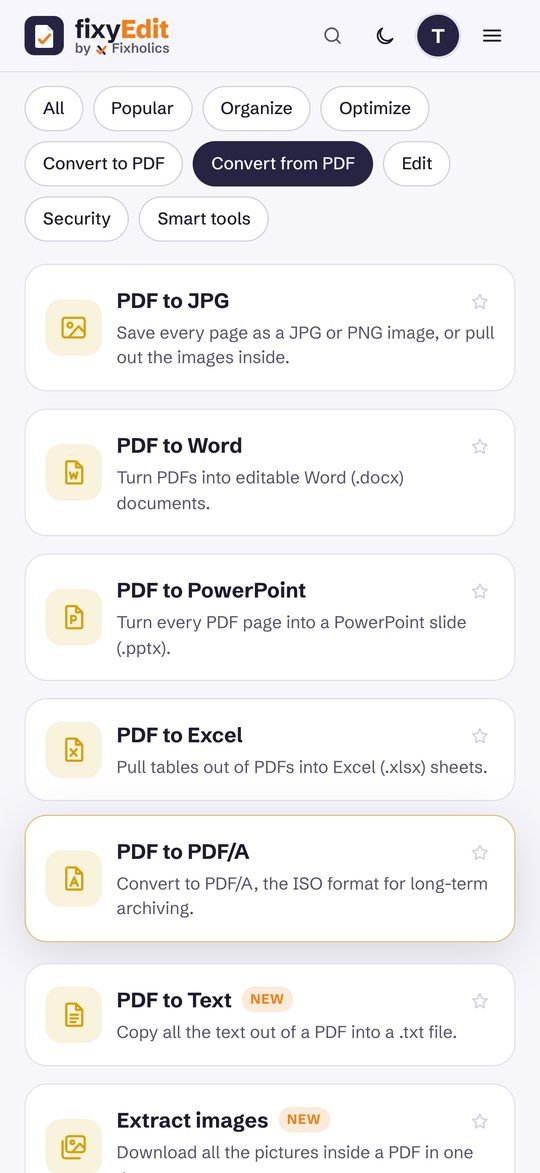
Editable Word documents, PowerPoint slides, Excel sheets with the tables found for you, JPG and PNG pages, plain text and archival PDF/A.
Make scans searchable
OCR turns scanned pages into text you can select and search, in English, Hindi, Bengali, Tamil, Telugu and 15 more languages.
Repair and optimise
Rebuild damaged files, convert to grayscale to save ink, and reduce size without wrecking the images.
Change the page,not your plans.
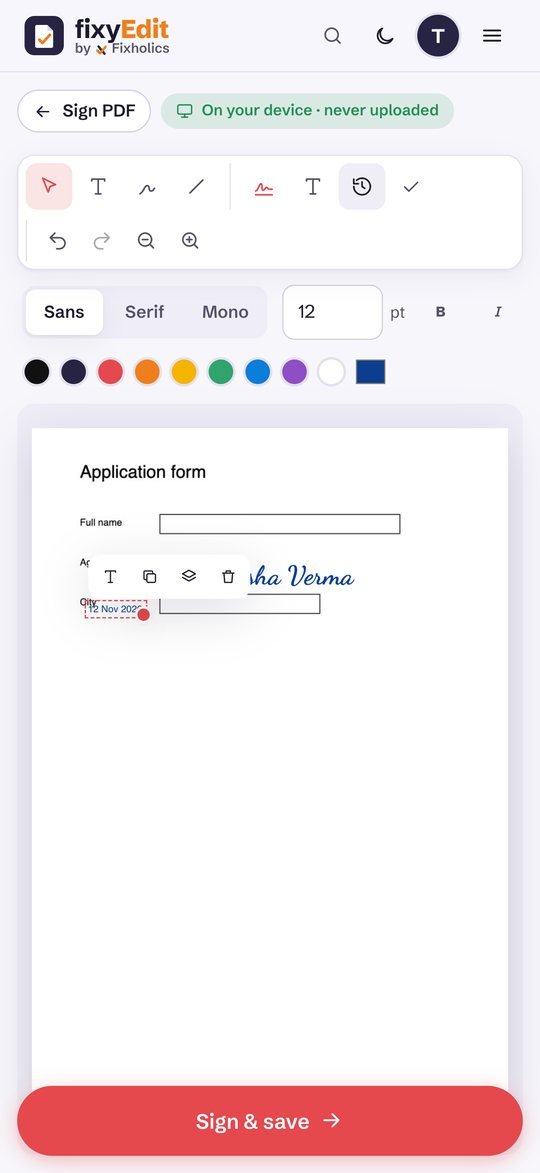
Type on any page, sign it, fill its form and stamp it, then save. No printer, no scanner, no second app.
- 01Edit PDFText, images, shapes, arrows, highlights, freehand drawing and white-out, with undo.
- 02Sign PDFDraw, type in a handwriting font or upload your signature, plus initials, the date and a tick.
- 03Fill formsType into form fields, tick boxes and lock the answers so they cannot be changed.
- 04Page numbers and watermarksAny position and style, with a live preview of the first page.
- 05Headers, footers and BatesDates, file names and legal Bates numbers that continue across files.
- 06Crop, resize and N-upTrim margins, fit pages to A4 or Letter, or print 2, 4 or 9 pages on one sheet.
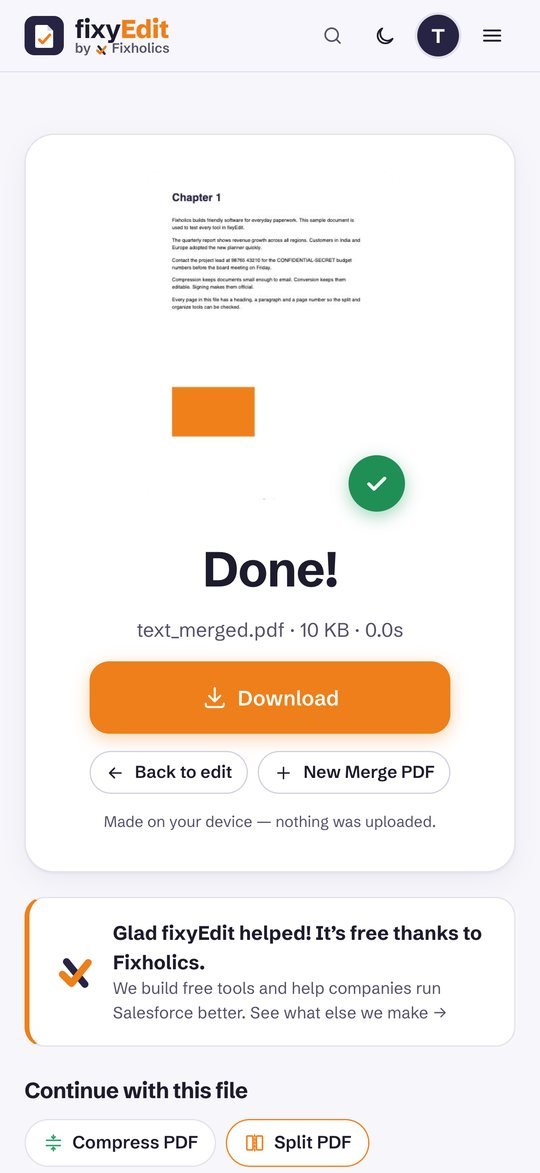
The same 41 tools in your pocket: scan a form, sign it and send it before you leave the room. Swipe through.


Private documentsstay private.
Lock what should be locked, remove what should never be seen, and let fixyEdit do the repetitive work.
Protect and unlock
AES-256 passwords with printing, copying and editing blocked, and unlocking files you have the password for.
True redaction
Black out areas or search for names and numbers; the text underneath is removed, not just covered.
Compare versions
See every word added or removed between two versions of a contract, side by side or as a list.
Workflows
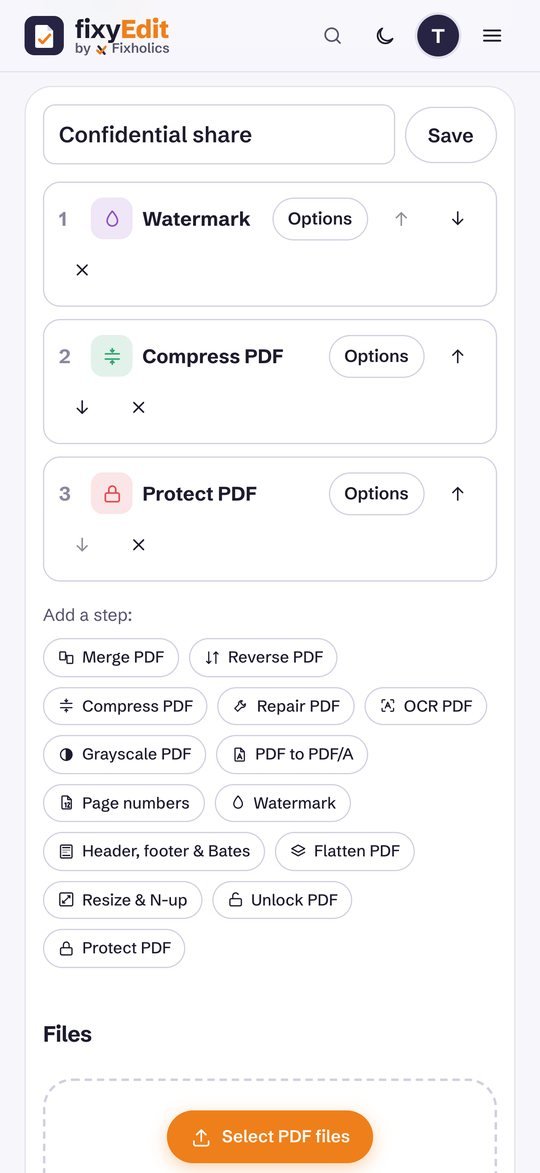
Chain tools, for example merge, compress, number and protect, save the chain and run it on any file in one tap.
Summarize
The key sentences, keywords and reading time of any PDF, worked out on your device with no paid AI.
Your history
Your recent jobs and saved workflows on your account. Never the files themselves.
Every tool the big PDF sitescharge for, included.
No plan to pick, no daily cap, no watermark, no tool held back. Every line below works today.
- Merge PDFFree
- Split PDFFree
- Remove pagesFree
- Extract pagesFree
- Organize PDFFree
- Rotate PDFFree
- Scan to PDFFree
- Alternate and mixFree
- Reverse PDFFree
- Compress PDFFree
- Repair PDFFree
- OCR (20 languages)Free
- Grayscale PDFFree
- JPG, PNG, HEIC to PDFFree
- Word to PDFFree
- PowerPoint to PDFFree
- Excel to PDFFree
- Web page to PDFFree
- Text and Markdown to PDFFree
- PDF to JPG and PNGFree
- PDF to WordFree
- PDF to PowerPointFree
- PDF to ExcelFree
- PDF to PDF/AFree
- PDF to textFree
- Extract imagesFree
- Edit PDFFree
- Page numbersFree
- WatermarkFree
- Crop PDFFree
- Header, footer and BatesFree
- Fill PDF formsFree
- Flatten PDFFree
- Edit metadataFree
- Resize and N-upFree
- Unlock PDFFree
- Protect PDF (AES-256)Free
- Sign PDFFree
- Redact PDFFree
- Compare PDFFree
- Summarize PDFFree
Private by design.Tested like our client work.
Most tools never upload your file at all. The rest are processed on our own server and deleted right away.
On your device first
Merge, split, organise, edit, sign, redact, compare and more run inside your browser or app. The file never leaves your device, and every tool is labelled so you always know.
Deleted right after
Compress, OCR and Office conversion run on our server in a private folder over HTTPS. The file is gone as soon as your download is ready. We keep only your job history: tool, size and time.
Proven engines
pdf-lib and PDF.js in the browser; Ghostscript, qpdf, OCRmyPDF with Tesseract, LibreOffice and Chromium on the server. Every tool is covered by automated tests on the web and on a real server.
Sign in once
Google or Apple, nothing else. No passwords stored, and you can delete your account and history in one click.
Works everywhere
A fast web app you can install, a Windows and Mac app, and native iPhone and Android apps, all on the same account.
Made in India
Built by Fixholics, the Salesforce consultancy that also builds FixShift, FixyBillBook and our free Chrome extensions.
Before youopen a PDF.
Is fixyEdit really free?
Yes. All 41 tools are free with no daily limits, no watermarks, no ads and no paid plan. Fixholics builds it as a free tool, the same way we build FixyBillBook for shops.
Why do I need to sign in?
A one-tap Google or Apple sign-in keeps the free service from being abused and gives you your job history and saved workflows. We receive only your name and email, never your password.
Are my files safe?
Most tools run on your own device, so the file never leaves it. Tools that need a server, such as compress, OCR and Office conversion, send the file over HTTPS to our server in a private folder and delete it as soon as your download is ready. We never keep, read or share your files.
Which file types does it handle?
PDF in and out, plus Word, PowerPoint, Excel, JPG, PNG, WebP and iPhone HEIC photos, web pages, plain text and Markdown. Scans become searchable with OCR in English, Hindi and 18 more languages.
Does it work on my phone and computer?
Yes. Use it in any browser, install the Windows or Mac app, or get it from the App Store and Google Play. Your history and workflows follow your sign-in.
Can I chain several steps?
Yes. Workflows run several tools in a row, for example merge, compress, add page numbers and protect with a password, and you can save a workflow to reuse it in one tap.
 FixShiftSalesforce app · 3 packages + CLI
 FixLensChrome extension · v2.0.0
 fixyInspectorChrome extension · v1.0.0
 FixTraceChrome extension · v1.0.0
 FixyOfficeOffice suite · Web, Windows, Android, iPhone, iPad, Mac
 FixyBillBookBilling app · Web, Windows, Mac, iPhone, iPad, Android
 FixholicsApp · iPhone, iPad and Android
 FixyTaskApp · iPhone, iPad, Mac and Android
 ShubhVelaApp · iPhone and Android · 12 languages
 FixyMindApp · iPhone and Android
 States Civic DeskApp · iPhone, iPad, Android and web · English and Hindi
 Fixholics AssistantAgentforce agent
 Fixholics Labs4 reference orgs on GitHub
Got a PDF to fix? Do it now, free.
Open fixyEdit in your browser, sign in with Google or Apple, and pick any of the 41 tools. Or install it on your computer and phone.