
 Partner

What you get
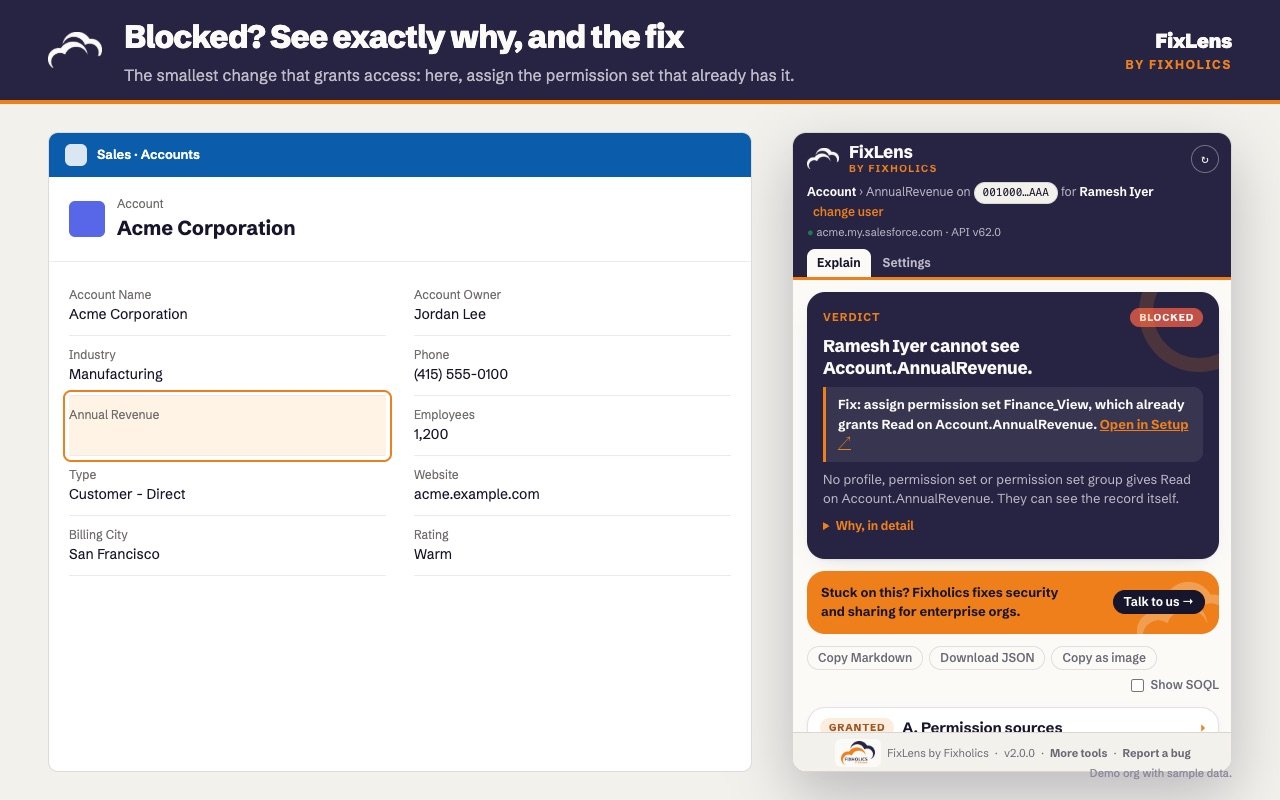
- A plain answer first: “Ramesh cannot see Account.AnnualRevenue.”
- The fix: “Assign permission set Finance_View, which already grants Read on Account.AnnualRevenue.”
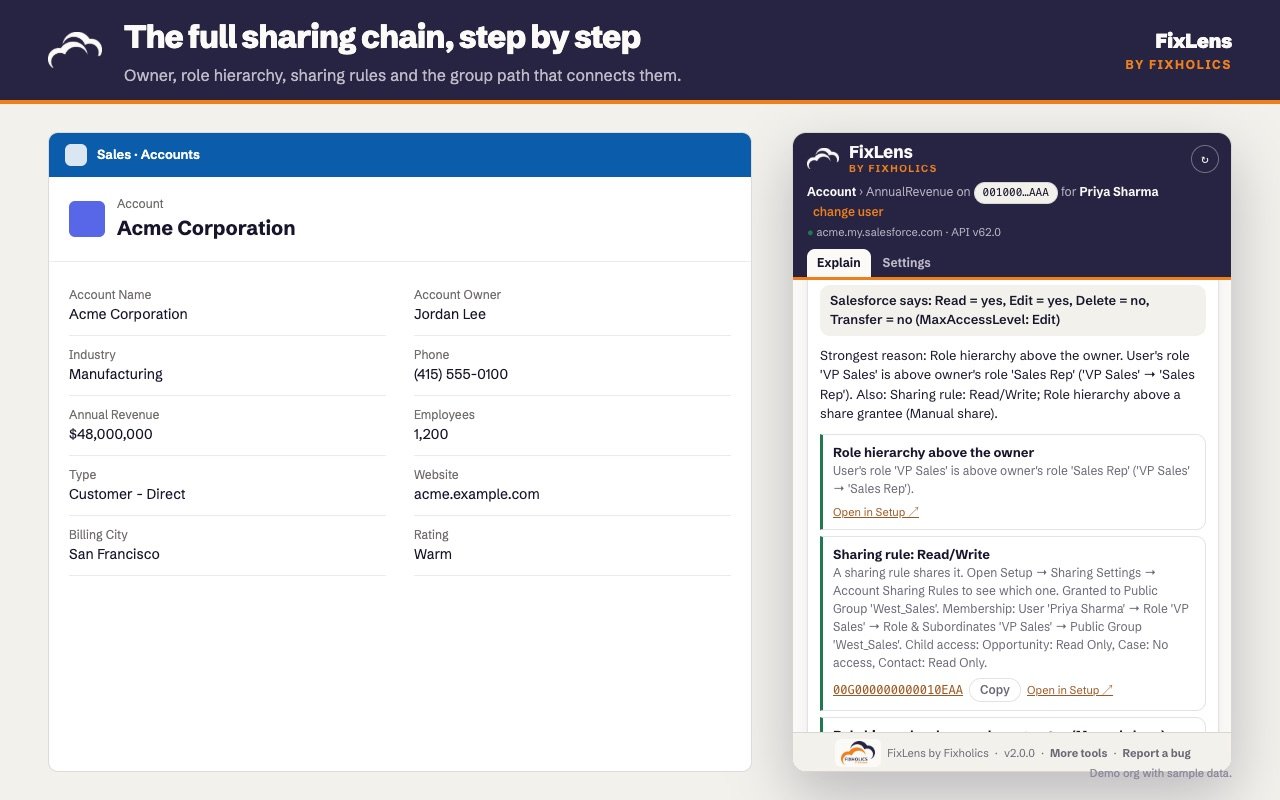
- The evidence: every permission set, sharing row and role behind the answer, each linked to the record or Setup page that proves it.
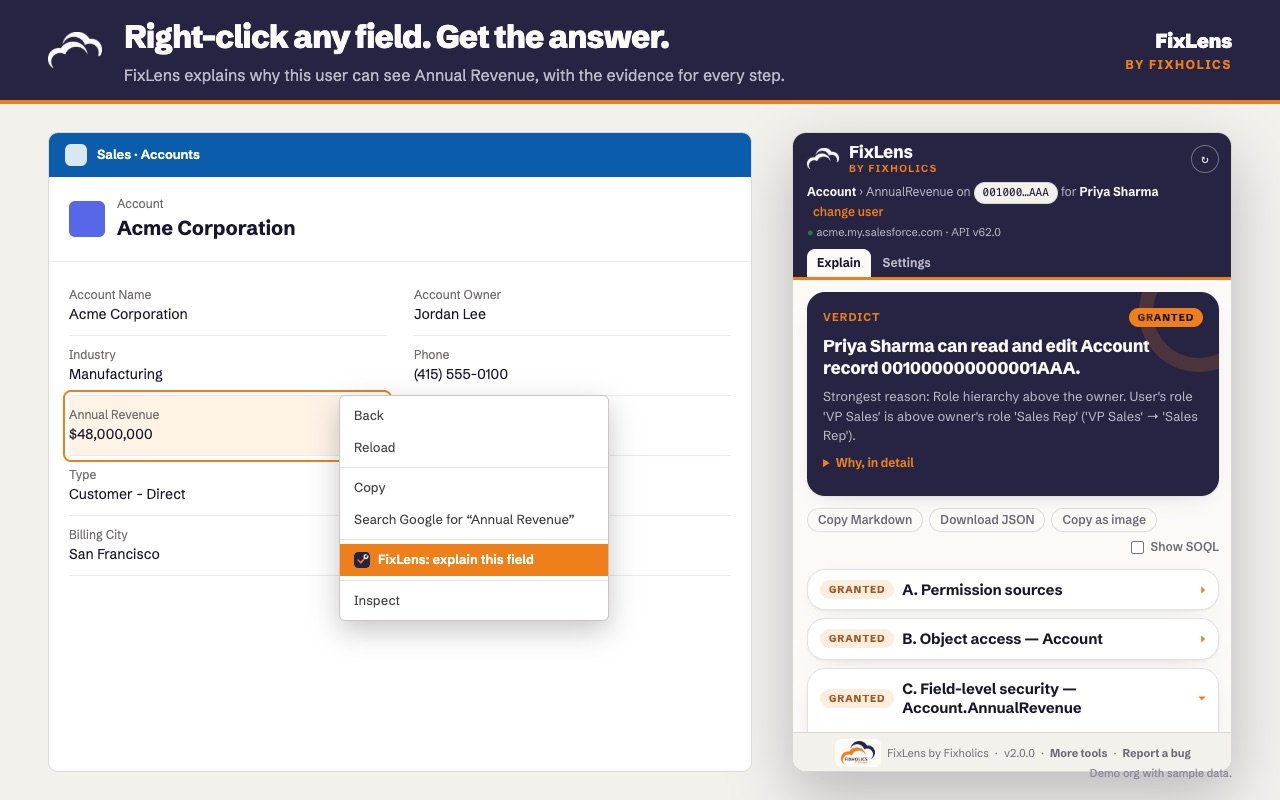
- Any user, one click: ask the same question for someone else without leaving the page.
What it checks
- Profile, permission sets and permission set groups (muting and stale groups flagged)
- Object permissions, View All / Modify All, View All Data / Modify All Data
- Field-level security, and whether a field is controlled by FLS at all
- Record access: what Salesforce reports (UserRecordAccess), then org-wide defaults, owner, queues, role hierarchy, sharing rules, manual shares, teams, territories, Apex sharing, implicit and Controlled-by-Parent sharing
- Group membership, spelled out: User → Role → Role & Subordinates → Public Group → Sharing rule
Private by design
FixLens uses the Salesforce session you are already logged into and only ever reads. The only network calls go to your own org. No analytics, no tracking, no calls to fixholics.com. Read the privacy policy.
Built by Fixholics
Fixholics are Salesforce architects for CPQ, Industries, OmniStudio and Financial Services Cloud. We design, audit and fix security and sharing models for enterprise orgs. FixLens is free for admins. Talk to us when an access question turns into a bigger problem.
FixLens is an independent tool and is not affiliated with or endorsed by Salesforce, Inc. Salesforce is a trademark of Salesforce, Inc.