
 Partner

One click, everything about the record you are on
- Always on the page. A small fixyInspector tab sits on the right edge of every Salesforce page. Click it and fixyInspector opens right there, already showing the record you are on. Drag it up or down to move it, or switch it off in Options. The toolbar icon and Ctrl+Shift+I work too.
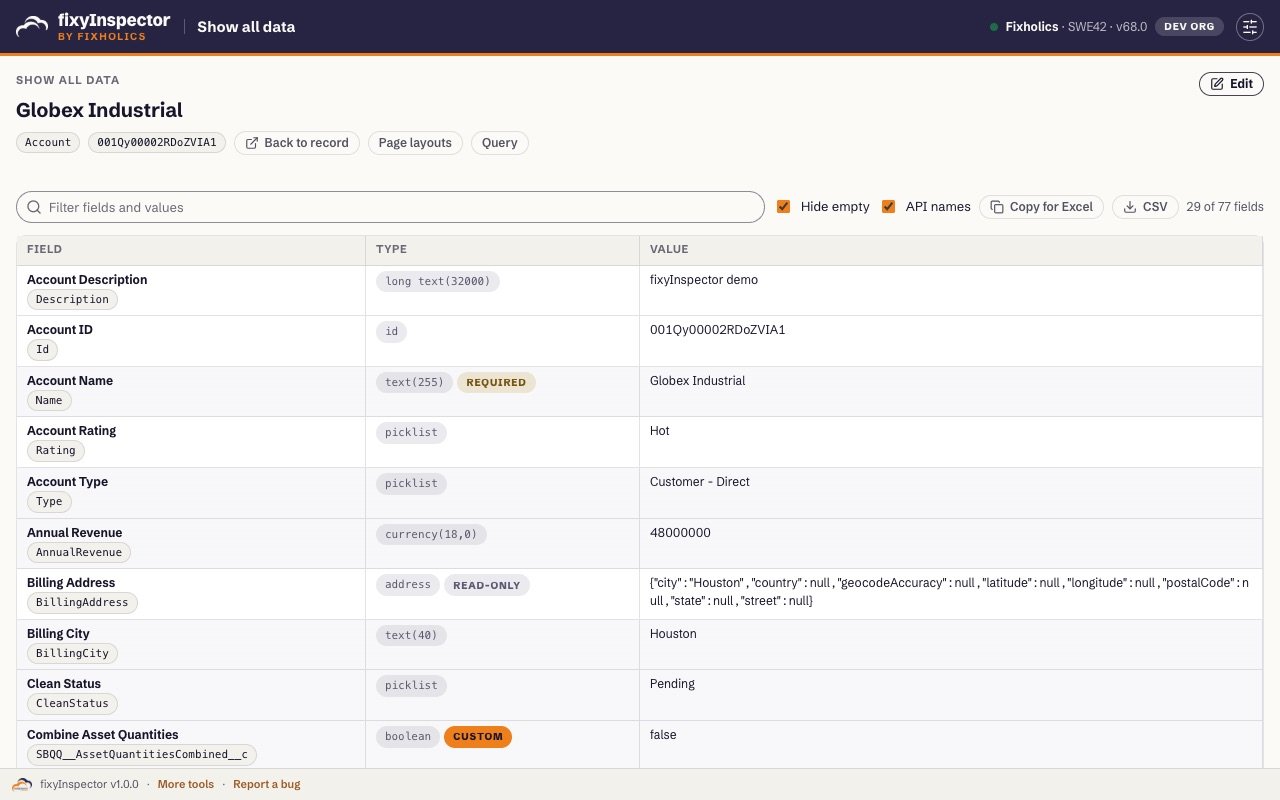
- Show all data. Every field of the record, including the ones the page layout hides, with its API name, type, length, required and external Id flags. Filter by name or value, hide empty fields, copy the table to Excel.
- Edit what the layout hides. Change values in place and save. Salesforce validation errors appear under the field that caused them. Production orgs get a red guard and a confirm step on every change.
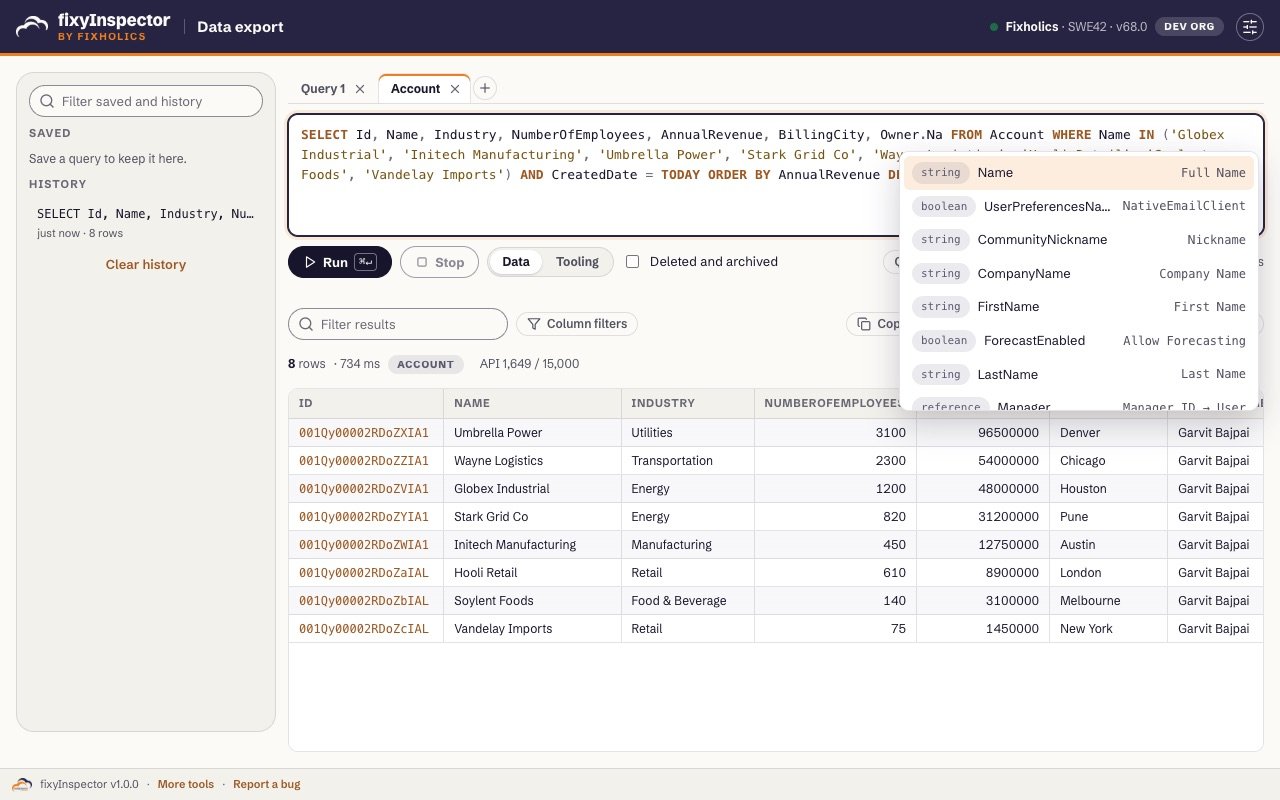
- Data export. SOQL with autocomplete for objects, fields, relationships like
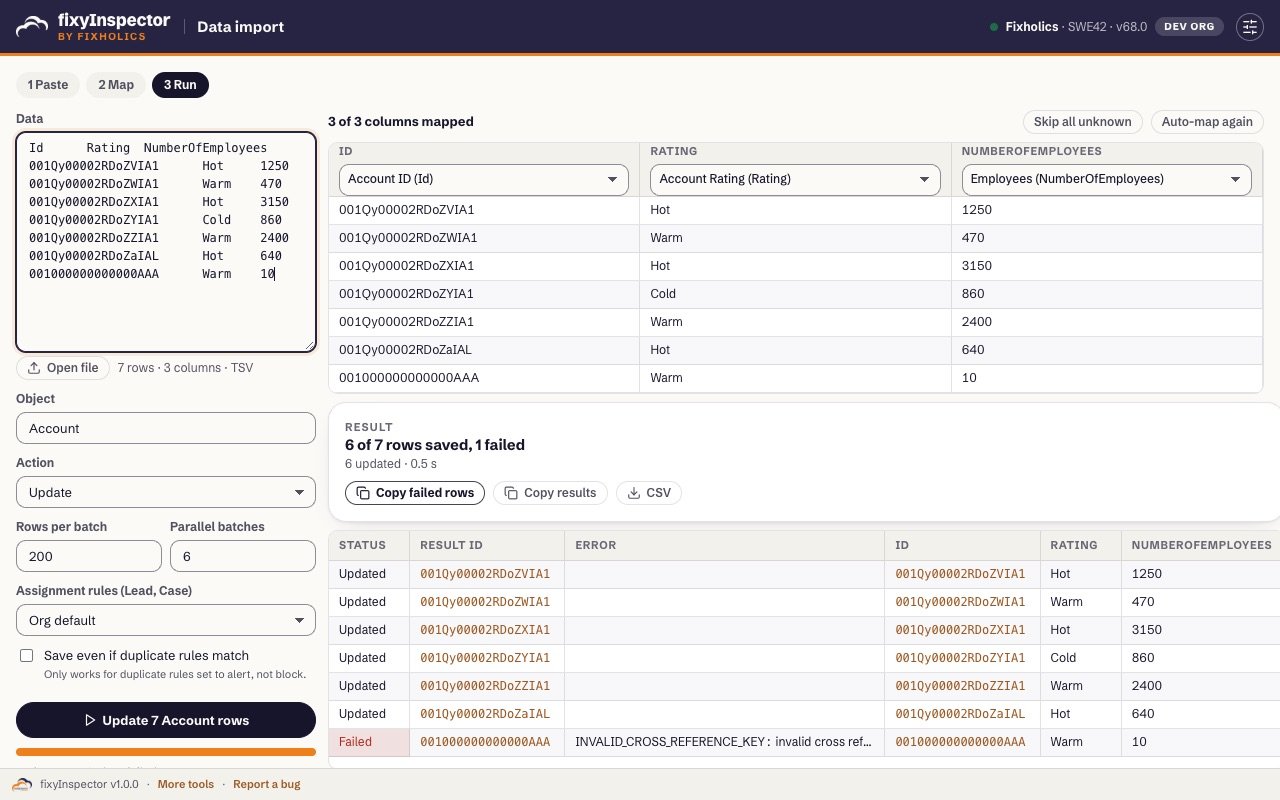
Owner.Name, picklist values and date literals. Ctrl+Space adds every field. Query tabs, saved queries and history, deleted and archived rows, the Tooling API, the query plan and SOSL. Results stream into a fast grid you can filter, sort and copy to Excel, or download as CSV or JSON. - Data import. Paste rows from Excel, a CSV or JSON. fixyInspector guesses the object and the action, maps columns to fields, and runs insert, update, upsert, delete or undelete in parallel batches. Rows that fail don’t stop the others, and you can copy the failed rows with their errors, fix them and paste them back.
- Users. Find any user, log in as them, turn on a debug log for 15 minutes, unfreeze them or reset their password.
- Shortcuts. Jump to any Setup page, flow, profile, permission set or Apex class by typing a few letters, and keep your own links per org.
- Org limits and the REST explorer. Every org limit as a gauge, and any REST call with templates, custom headers, history and a formatted response.
Private by design
fixyInspector uses the Salesforce session you are already logged into and calls only your own org, as you, through Salesforce’s public APIs. No analytics, no tracking, no remote code and no calls to fixholics.com. Settings, saved queries and history stay in your browser. Read the privacy policy.
Built by Fixholics
Fixholics are Salesforce architects for CPQ, Industries, OmniStudio and Financial Services Cloud. We built fixyInspector for our own consultants and made it free for every admin and developer. Talk to us when a data problem turns into a project.
fixyInspector is an independent tool and is not affiliated with or endorsed by Salesforce, Inc. Salesforce is a trademark of Salesforce, Inc.