

 Certified
 New · Free office suite by Fixholics
Documents, sheets,slides and PDF.One free app.
FixyOffice opens your Word, Excel, PowerPoint and PDF files and gives you everything to write, calculate, present and sign. Free for good: no ads, no watermarks, no page limits. It works offline, and your files never leave your device.
- No ads
- No watermarks
- Works offline
- No sign-up needed
Everything an officeruns on. Free.
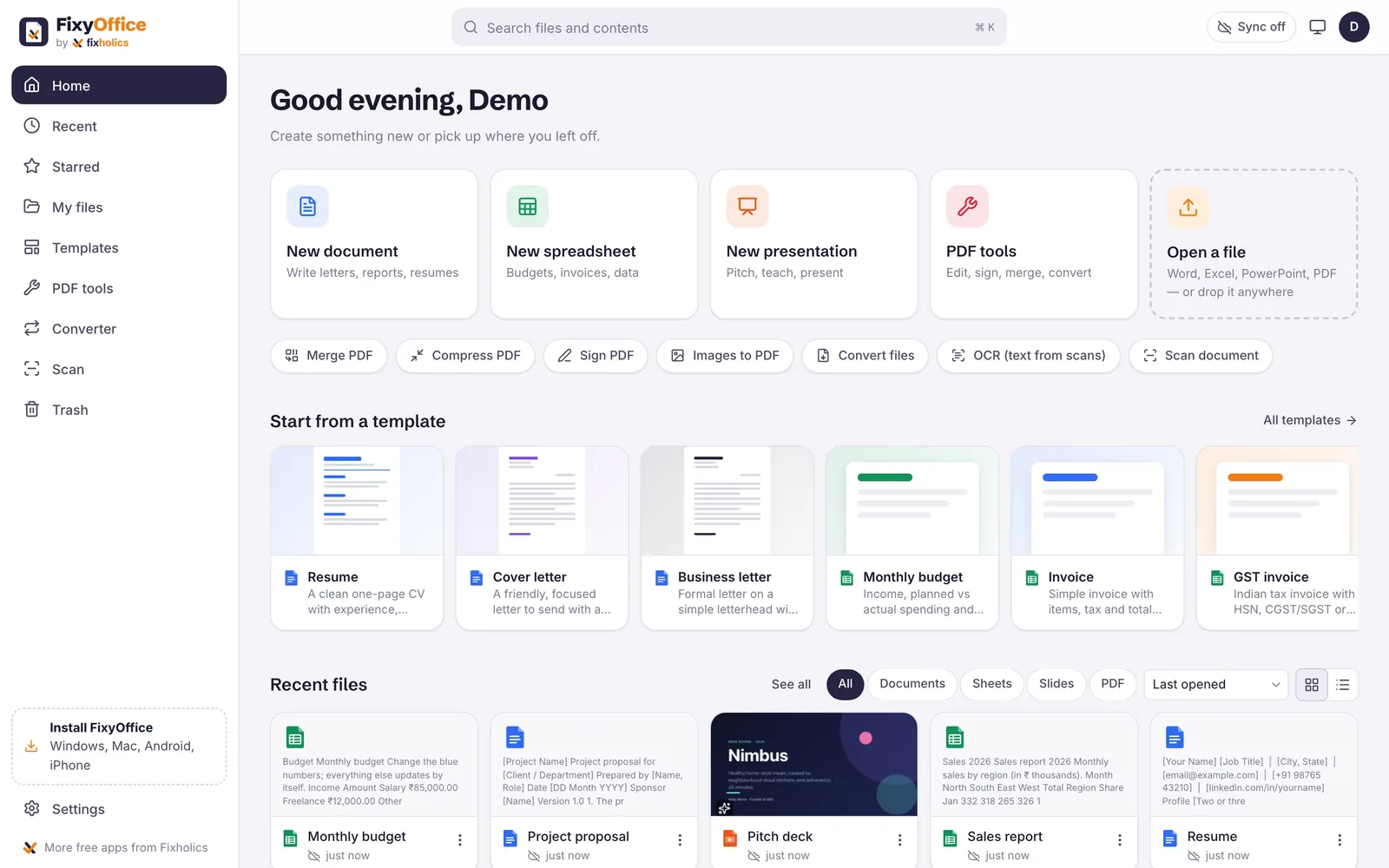
One home screen for every file. Start something new, open a file someone sent you, or pick a template and fill it in.
 Documents
Writer
Letters, resumes, reports and anything with pages.
.docx · .pdf · .md · .html Spreadsheets
Sheets
Budgets, invoices, trackers and anything with numbers.
.xlsx · .csv · .ods Presentations
Slides
Pitches, lessons, reviews and anything you present.
.pptx · .pdf · images PDF
PDF tools
Sign, fill, merge, split, compress, convert and OCR.
.pdf · images · .docx01 · WriterWrite it.Lay it out.Send it as Word.
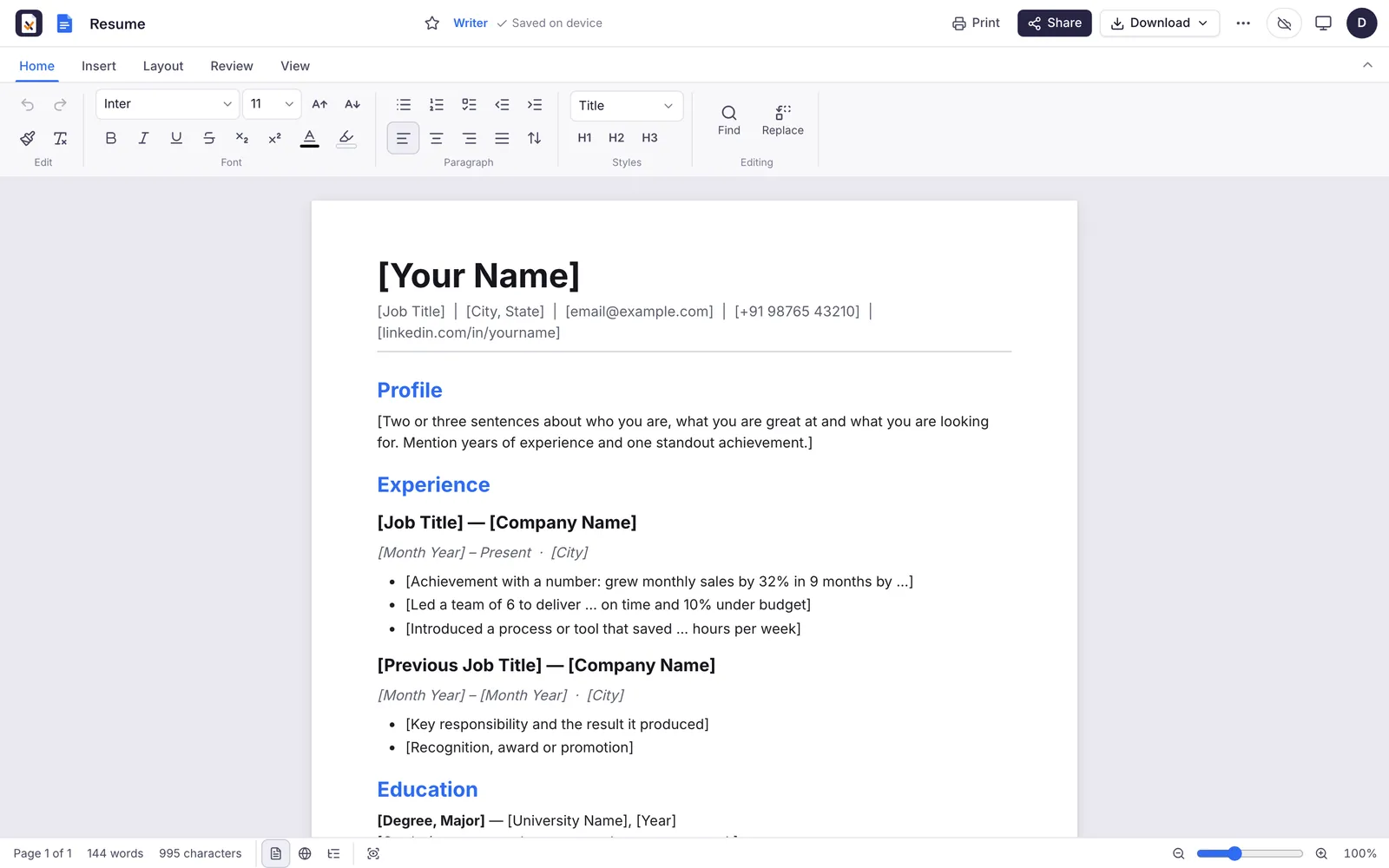
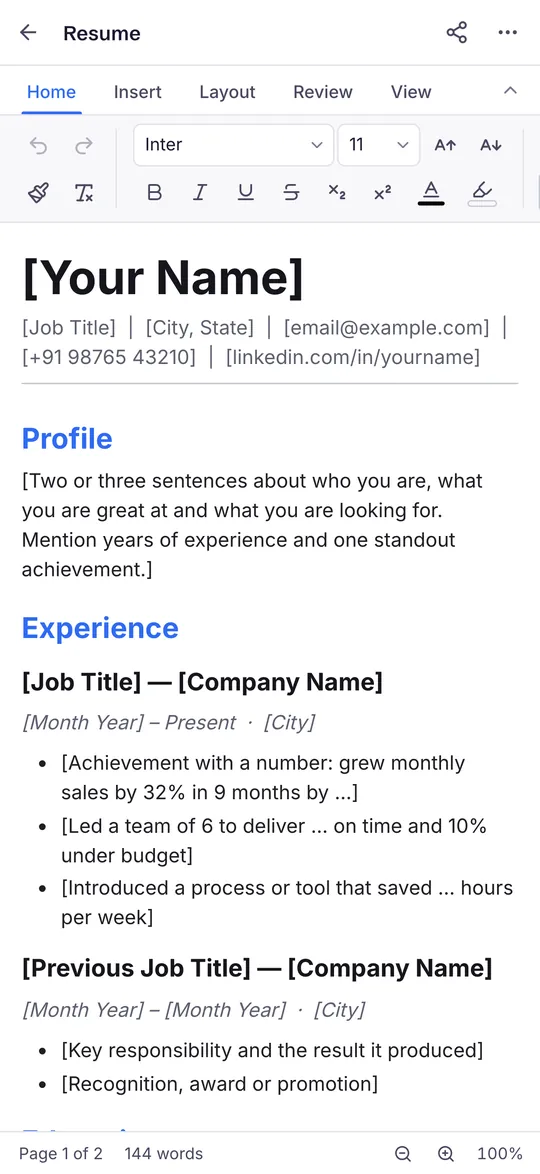
A word processor with real pages. Open a Word file from anyone, edit it with its layout intact and send it back as Word or PDF.
- Opens and saves Word (.docx), PDF, HTML, Markdown and plain text
- Real page layout with margins, headers, footers, page numbers and page breaks
- Styles, lists, tables, images, links, footnotes and a table of contents
- Comments, find and replace, word count and read aloud
- Templates for a resume, cover letter, business letter, invoice, report and meeting notes
 02 · Sheets
Numbers thatadd up.
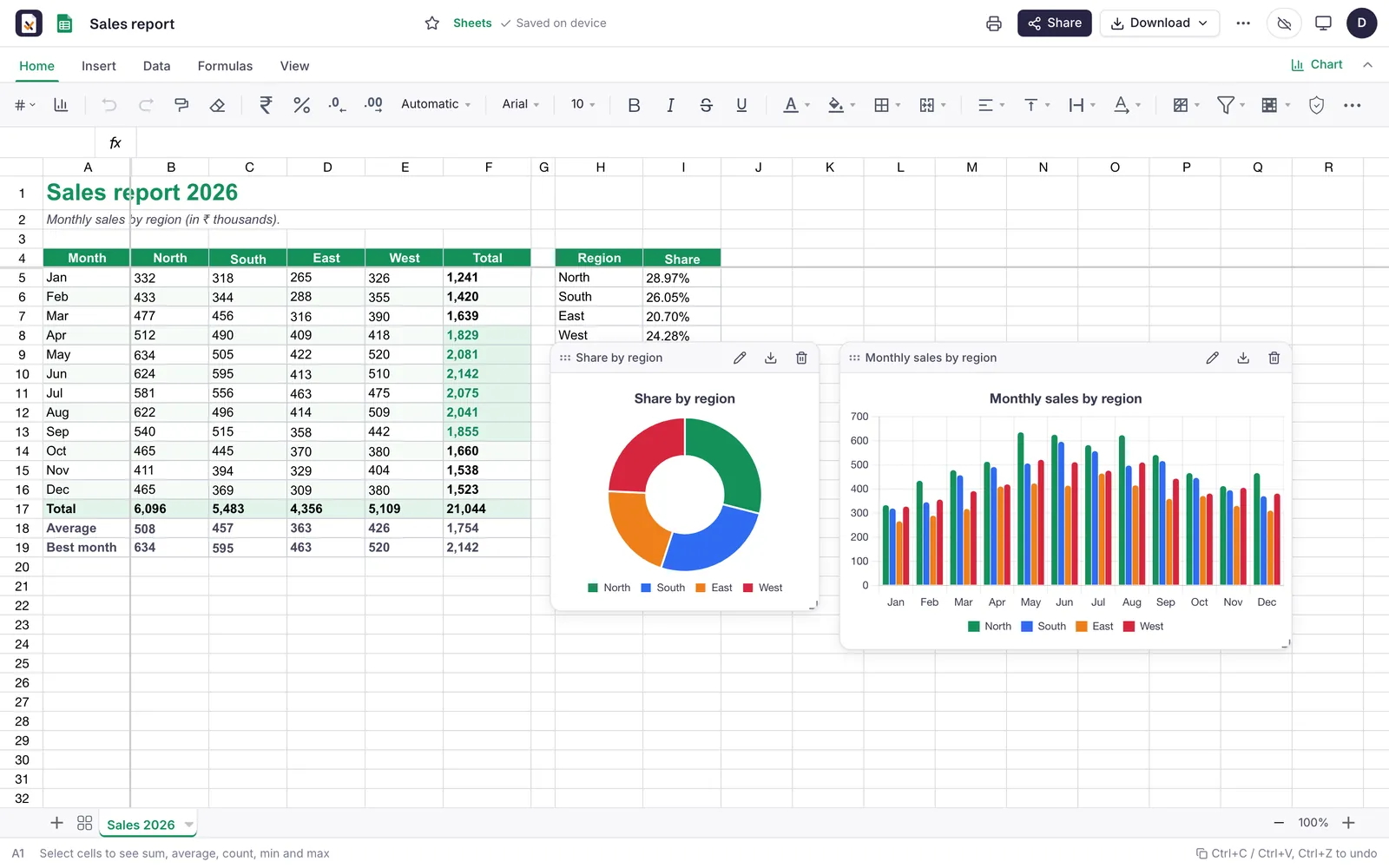
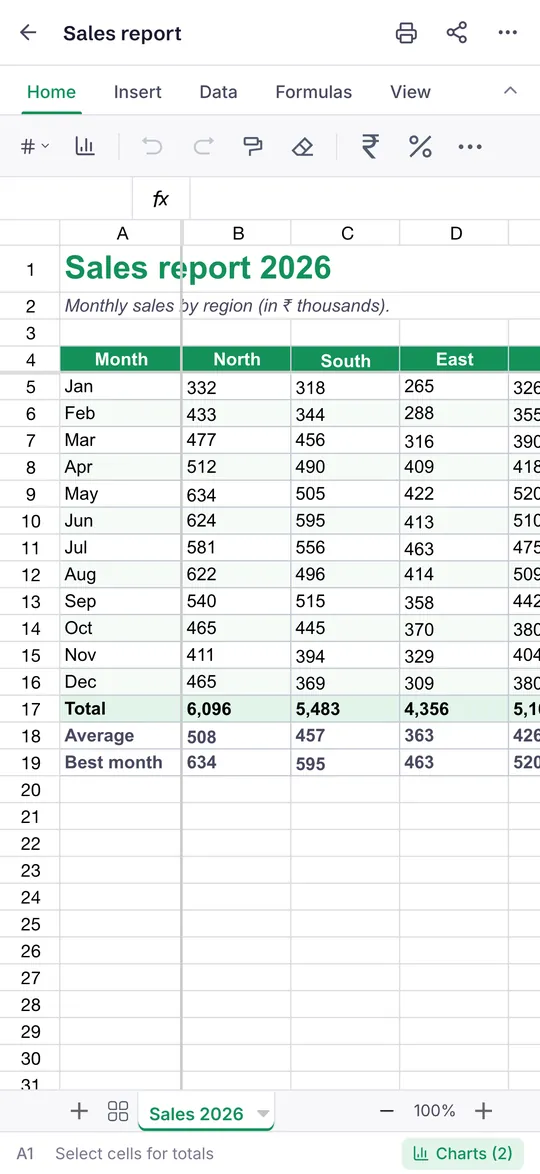
Open an Excel file, keep its formulas and chart the result. Built for Indian money too, with rupee formats and a GST invoice ready to fill.
- Opens and saves Excel (.xlsx), CSV and ODS
- 400+ formulas, several sheets, freeze panes, sort, filter and conditional formatting
- Seven chart types: bar, column, line, area, pie, doughnut and scatter
- ₹, $ and € number formats, with sum, average and count as you select
- Templates for a GST invoice, monthly budget, expense tracker, loan EMI calculator and attendance
 03 · Slides
Present likeyou mean it.
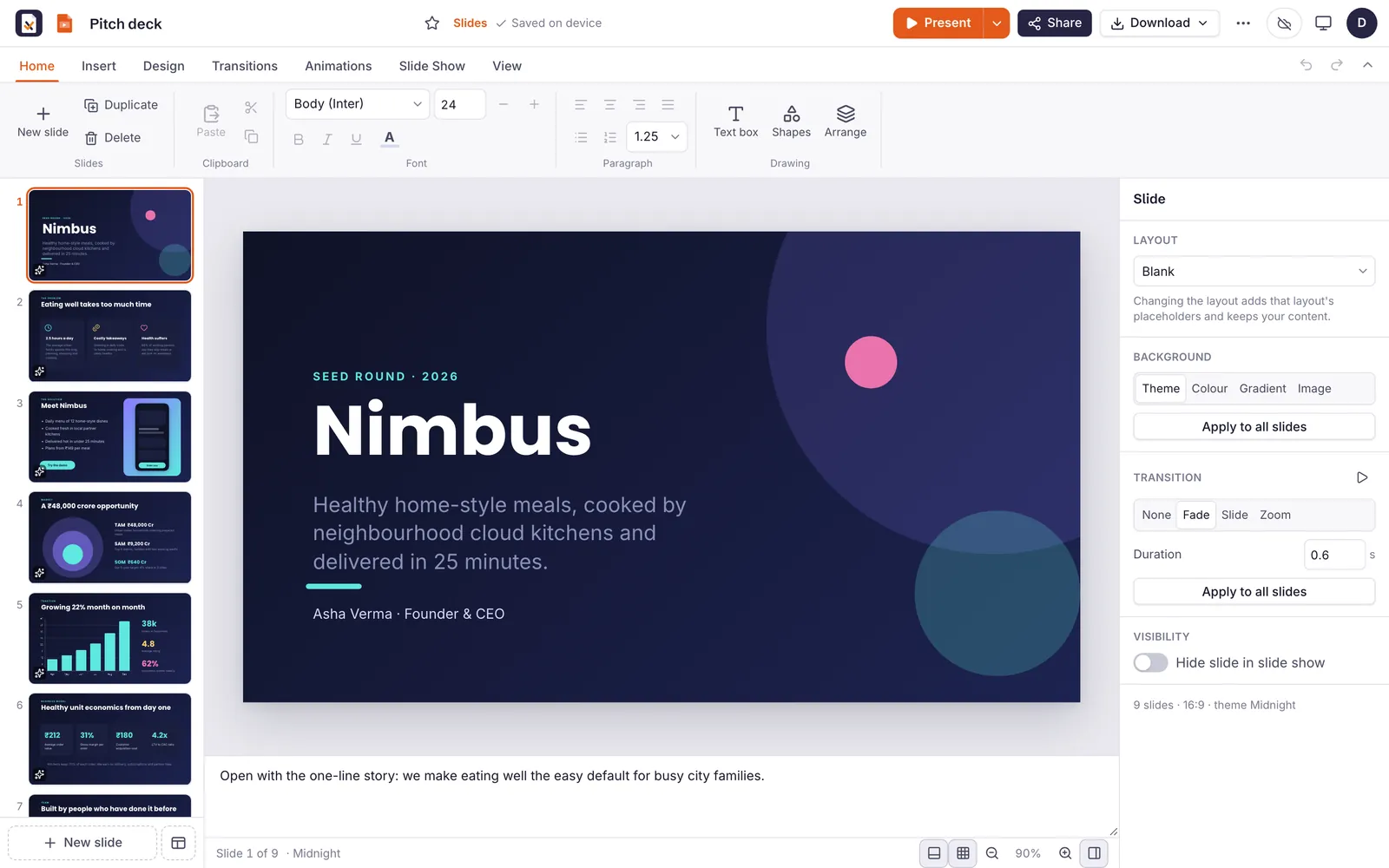
Start from a theme, animate what matters and present full screen with your notes beside you. Open PowerPoint files and save them back.
- Opens and saves PowerPoint (.pptx), and exports PDF and images
- Ten themes, including a Fixholics theme
- Shapes, images, tables, charts and icons
- Transitions, animations and speaker notes
- Full-screen presenting with a presenter view
- Templates for a pitch deck, quarterly review, lesson, portfolio and product launch
 04 · PDF tools
Every PDF job,done on your device.
View, mark up, sign and fill forms, then merge, split, compress or convert, without uploading a single page anywhere. Scanned pages become searchable in English and Hindi.
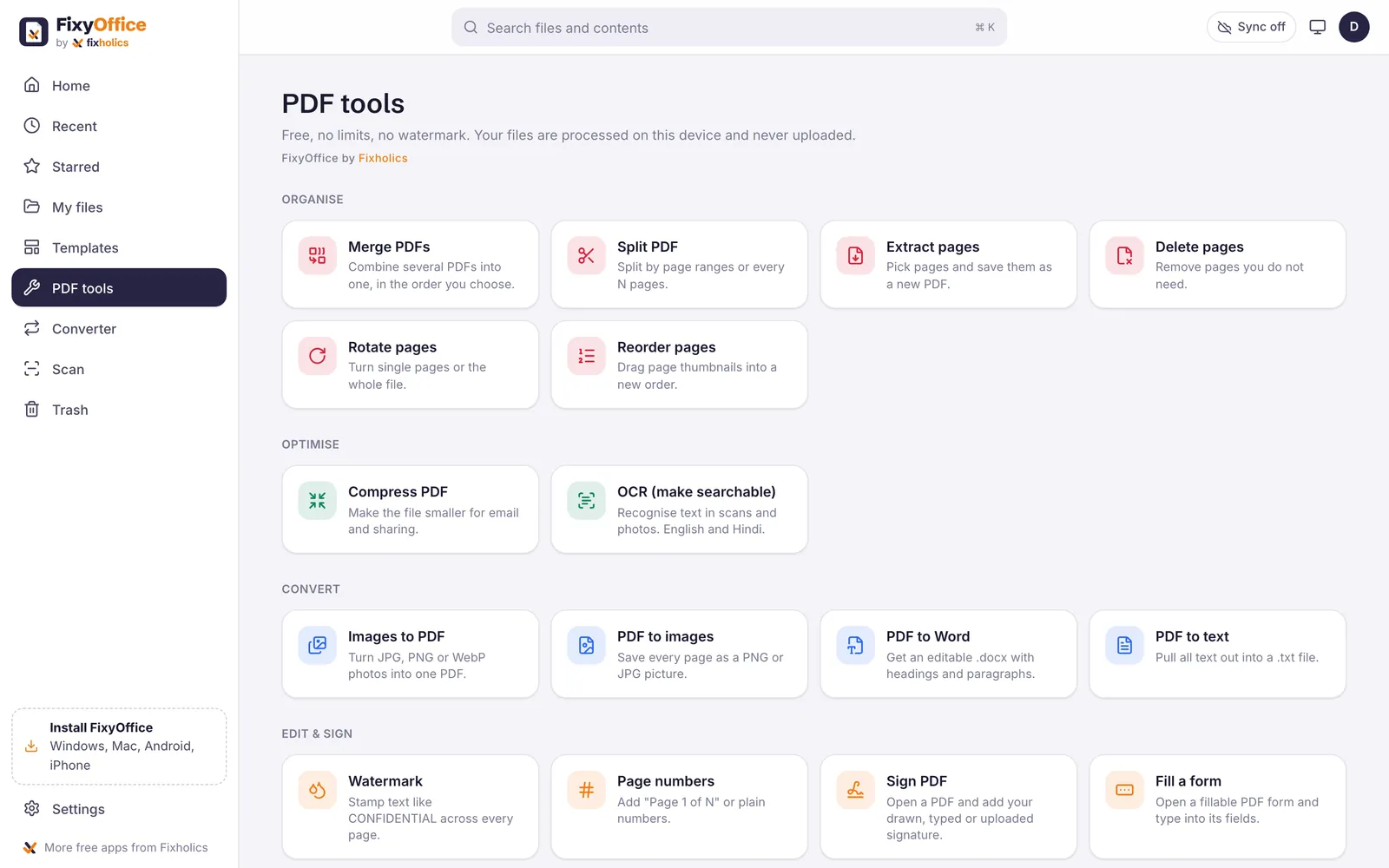
- Read and mark upView, search, highlight, draw, and add text and stamps.
- Sign and fillFill PDF forms and sign with your finger, a typed name or an image.
- Organise pagesMerge, split, rotate, reorder, extract and delete pages.
- OptimiseCompress, watermark, add page numbers, crop and redact.
- ConvertPDF to Word, PDF to images or text, and images to PDF.
- OCR on your deviceMake scanned pages searchable, in English and Hindi, without uploading them.
The small thingsthat save the day.
Around the four apps: a scanner in your pocket, a converter, a templates gallery and the tools that keep your files in order.
Document scanner
Photograph a paper document with your phone camera, crop and enhance it, and save it as a PDF.
Converter
Word to PDF, PDF to Word, PDF to images or text, and images to PDF, all from one screen.
Templates gallery
Resumes, letters, reports, budgets, GST invoices, pitch decks and more, ready to fill and make your own.
Version history
Go back to an earlier version of a file when an edit did not work out.
Search inside files
Search finds the words inside your documents, sheets and slides, not just their names.
Command palette
One shortcut opens a search box for every command and file, so your hands stay on the keyboard.
Folders, stars and trash
Keep files in folders, star the ones you open daily and get back anything you delete by mistake.
Dark mode
A dark theme for late nights, on every screen FixyOffice runs on.
Backup to your own Drive
Optional. Copies go to a FixyOffice folder in your Google Drive, and FixyOffice can only see files it created.
Free, and itstays that way.
No catch to find later. FixyOffice is a free tool from Fixholics, built the way we build for clients: tested, documented and private by design.
Free forever
No subscription, no trial and no ads. No watermark on anything you export, and no page or file limits.
Private
Files are opened and processed on your own device. They are never uploaded to Fixholics servers.
Offline
Once installed or opened, FixyOffice keeps working without internet: on a train, on a flight, anywhere.
No account needed
Start straight away. Sign in with Google or Apple only if you want to, for example to back up to your Drive.
Read the privacy policy and the terms of use.
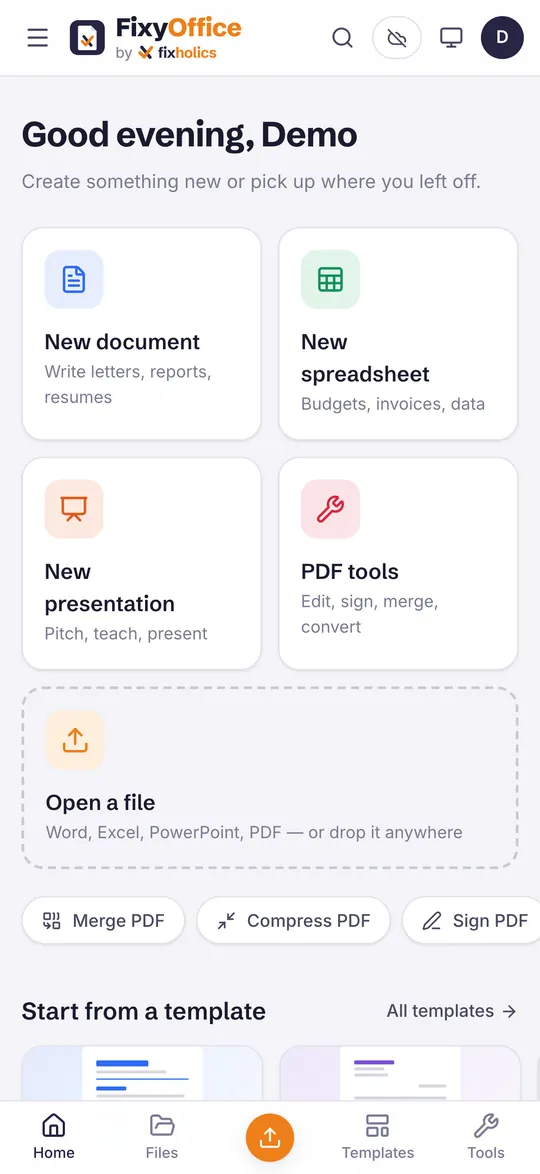
The whole office,in your pocket.
The same four apps, laid out for a phone: a bottom bar, one-thumb editing and the scanner a tap away. Swipe through.
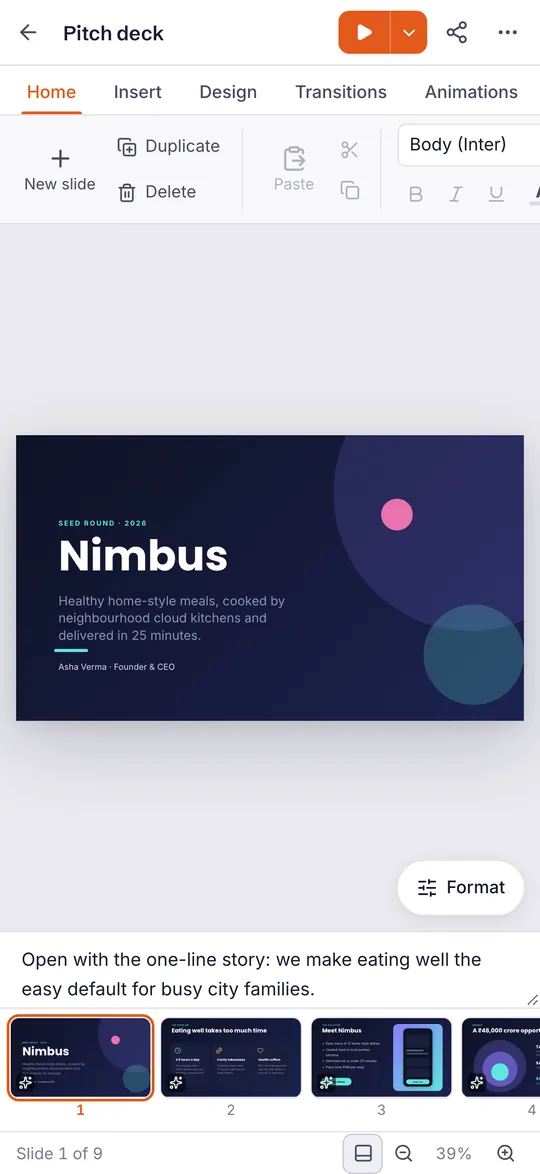
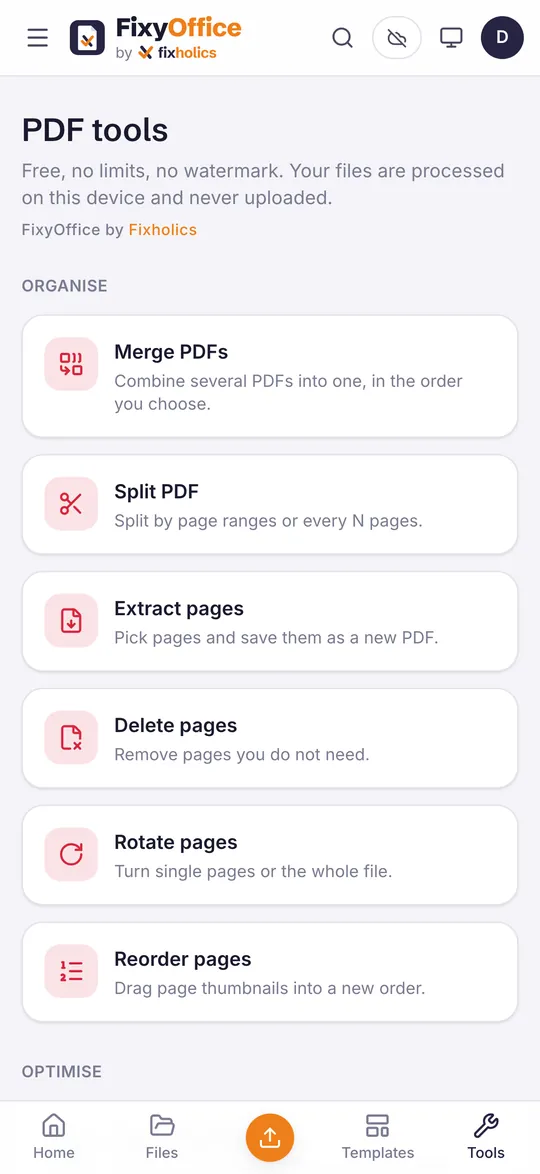
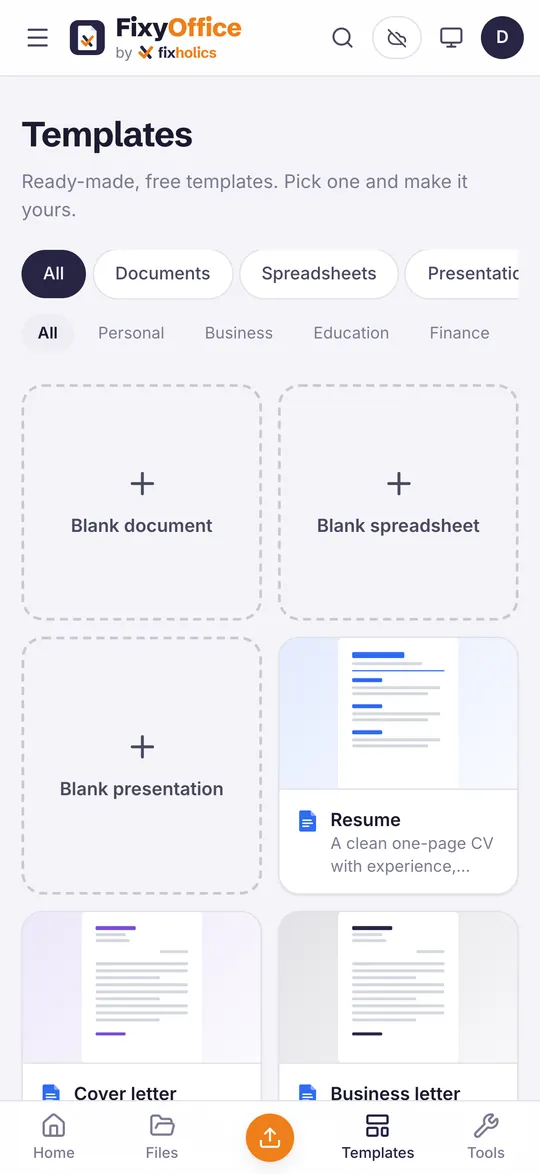
One app.Every screen you own.
Use it in a browser today, get it from the App Store and Google Play, or ask us for the Windows version.
Web app
Any modern browser on a computer, tablet or phone. Install it from the browser to use it like an app, offline.
Windows
A desktop version for Windows 10 and 11. Tell us you want it and we will send it to you.
iPhone, iPad and Mac from the App Store, Android from Google Play. Every version has every feature.
No subscription.No ads. No watermark.
What you usually trade for a free office app is your files, your attention or a watermark. With FixyOffice you trade nothing.
| FixyOffice | Paid office suites | Free online tools | |
|---|---|---|---|
| Price | Free, every feature | Monthly or yearly subscription | Free with limits, paid to unlock |
| Ads | None | None | Often |
| Watermark on exports | Never | No | Often on the free tier |
| Page and file limits | None | None | Daily or size caps are common |
| Account | Optional | Required | Often required |
| Where your files go | Stay on your device | Usually the vendor's cloud | Uploaded to their servers |
| Works offline | Yes | Desktop apps, yes | No |
| Documents, sheets, slides and PDF in one app | Yes | Yes | Usually one task per site |
A general comparison of typical paid office suites and free online document tools, not of any one product. Features vary by plan.
Before youopen it.
Is FixyOffice really free?
Yes. Every feature is free: no subscription, no trial, no ads, no watermark on anything you export and no page or file limits. Nothing is held back for a paid plan. Fixholics builds it as a free tool, like our other apps.
Where are my files stored?
On your own device. FixyOffice opens, edits and converts files on the phone or computer you are using, and never uploads them to Fixholics servers. If you choose to, you can back up to your own Google Drive: copies go into a FixyOffice folder, and FixyOffice can only see the files it created there.
Do I need an account?
No. Open FixyOffice and start working. Signing in with Google or Apple is optional, for example if you want backup to your own Google Drive.
Can I open Word, Excel and PowerPoint files?
Yes. Writer opens and saves Word (.docx), Sheets opens and saves Excel (.xlsx) and CSV, and Slides opens and saves PowerPoint (.pptx). Every app also exports PDF. Very complex files can look slightly different, as they do in any office app other than the one they were made in.
Does it work offline?
Yes. Once FixyOffice is installed, or opened once in your browser, it keeps working without internet. You only need a connection to sign in, back up to Google Drive or get an update.
Which devices can I use it on?
Any computer, tablet or phone with a modern browser, through the web app at fixyoffice.fixholics.com, which you can also install as an app. Android is on Google Play, iPhone, iPad and Mac get it from the App Store, and a Windows version is available on request.
Open it.It is free.
No sign-up and nothing to install: FixyOffice opens in your browser in seconds. Get it from the App Store or Google Play when you want it on your phone or tablet.
 FixShiftSalesforce app · 3 packages + CLI
 FixLensChrome extension · v2.0.0
 fixyInspectorChrome extension · v1.0.0
 FixTraceChrome extension · v1.0.0
 FixyBillBookBilling app · Web, Windows, Mac, iPhone, iPad, Android
 fixyEditPDF toolkit · Web, Windows, Mac, iPhone, Android
 FixholicsApp · iPhone, iPad and Android
 FixyTaskApp · iPhone, iPad, Mac and Android
 ShubhVelaApp · iPhone and Android · 12 languages
 FixyMindApp · iPhone and Android
 States Civic DeskApp · iPhone, iPad, Android and web · English and Hindi
 Fixholics AssistantAgentforce agent
 Fixholics Labs4 reference orgs on GitHub